
Hospitality
Screon In-Room Screen
A personalised in-room screen service: Digital Signage, service requests, and “live” stay context—without apps or calls.
Compact screen•Always-on info channel•Service in 1–2 taps•Local staff initiatives
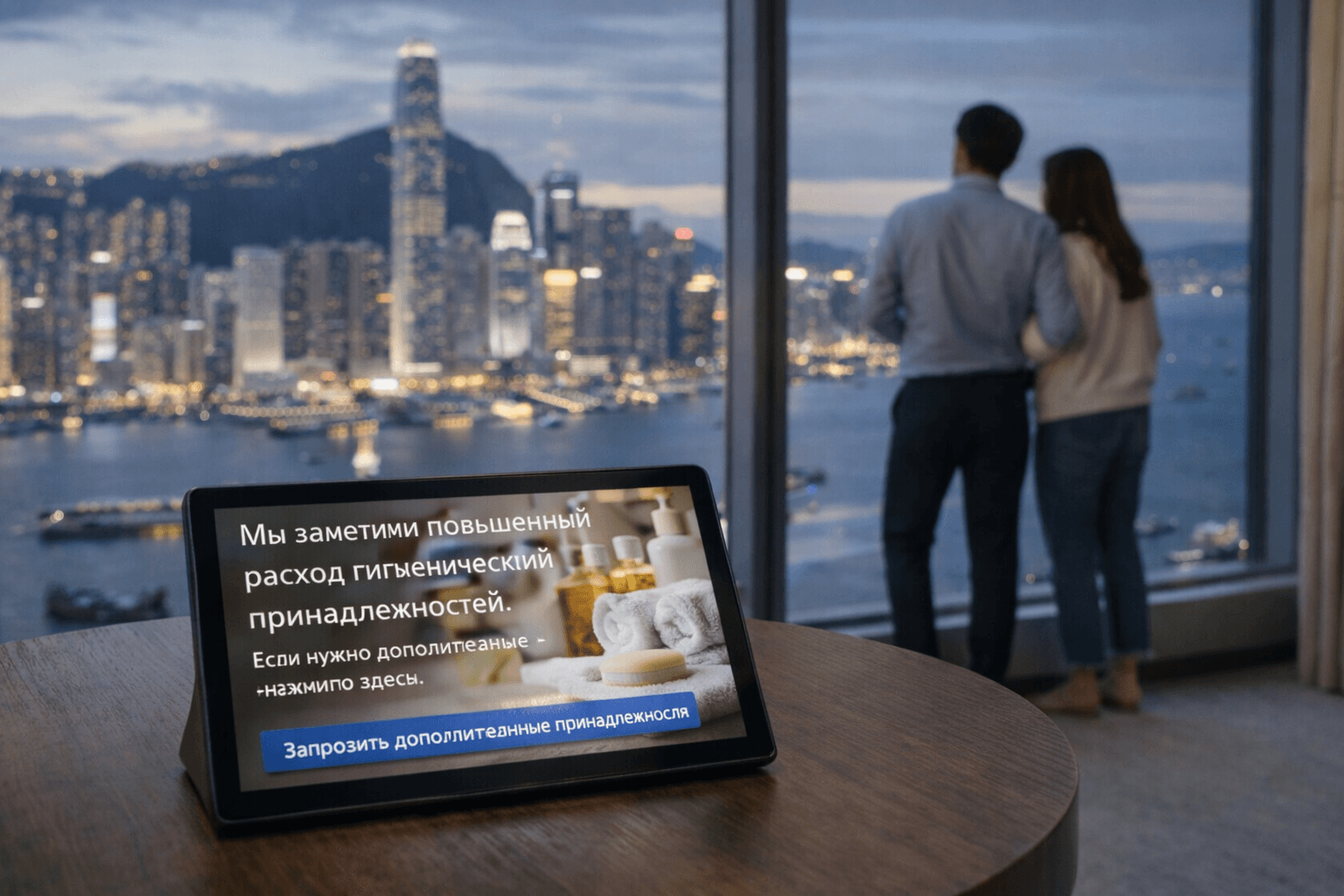
A screen that makes the room feel alive
Screon In-Room Screen is a compact display in a hotel room powered by the Screon signage platform. It combines two modes: in the background it shows up-to-date information and offers (Digital Signage), and on touch it becomes a simple interface for service requests.
The key difference — the screen reflects the state of a specific room and service events: what has already been done, what is relevant right now, what can be requested additionally. This creates a feeling of individual care even without personal contact.
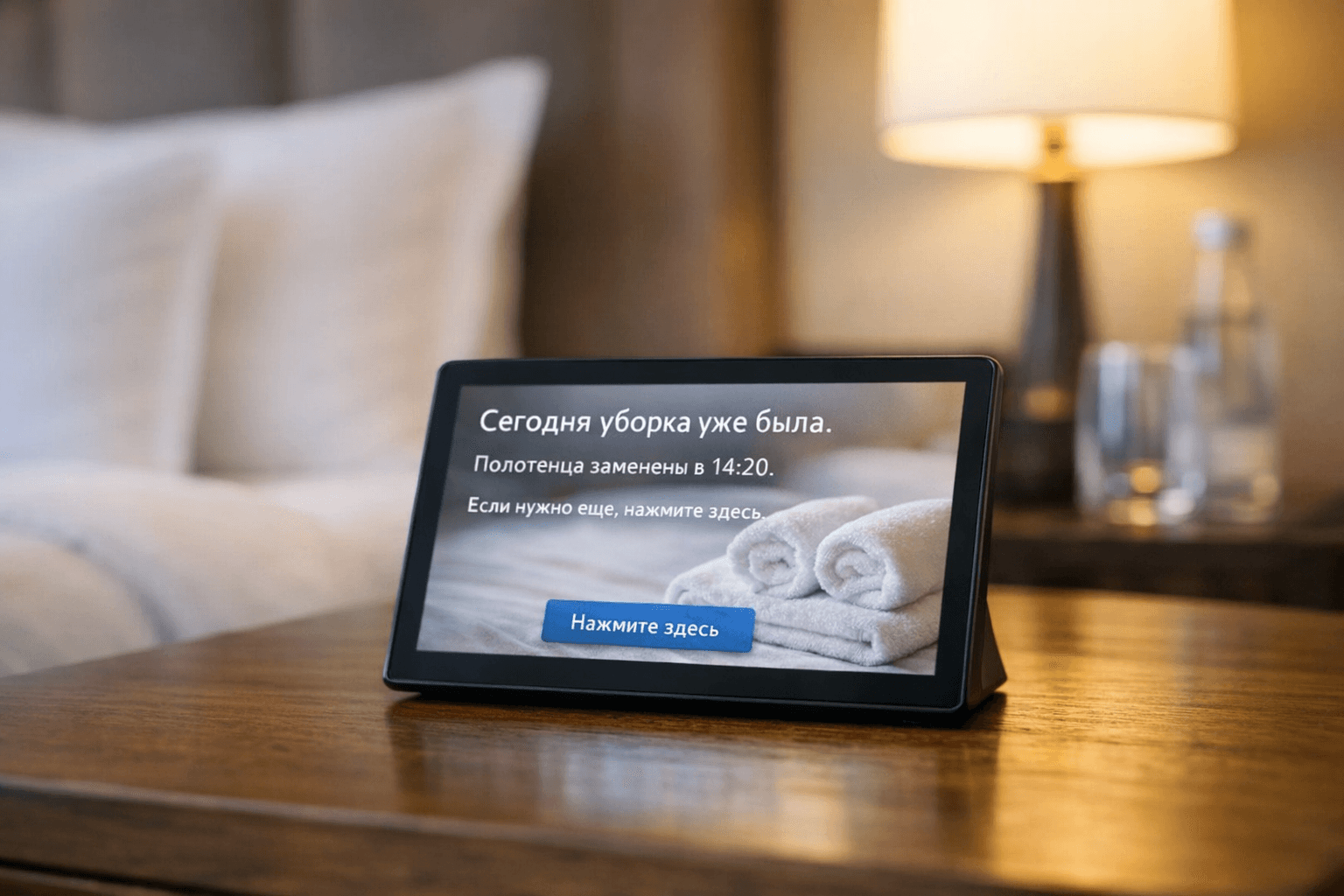
Two modes — one clear interface
Idle mode (Digital Signage)
The screen is always visible and informs guests unobtrusively: events of the day, offers, service tips, hotel promos. Guests do not need to “open an app”—information simply lives in the room.
Interactive mode (Service UI)
In 1–2 taps the guest sends a request: extra towels, water, delayed cleaning, pillow/blanket, note to reception. The screen confirms status and closes the service loop.
Personalisation via service “signals”
The system supports local staff initiatives: service notes are created from templates and shown to the guest as contextual signals rather than chat. It is not a chat and not a formal ticket—it is a polite service gesture built into the room screen.
“Today cleaning is done. Towels replaced at 14:20. Need more? Tap here.”
“We noticed increased use of amenities. Tap here if you need extra.”

Scenarios
Guests do not need to call or install apps—everything is resolved on the in-room screen.
Housekeeping status
Show completed actions and quick buttons for a repeat request.
Extra towels / water / amenities
One tap sends the request to staff; the screen shows confirmation.
Clean later / do not disturb
Guest sets a convenient service mode without calls.
Events and offers
Cocktail night, dinner discounts, SPA offers—as an unobtrusive signage channel.
Feedback
A short choice “everything is fine / there is a request” helps the hotel solve issues before checkout.
Why this format works better
- Permanent info channel: guest sees offers without opening an app.
- Room context: the screen shows what matters right now in this exact room.
- Service in 1–2 taps: fewer calls, less waiting, higher service quality.
- Personalisation without complexity: individual approach through service signals, not heavy CRM.
- Unified standard even for 3–4★: a premium feel without increasing staff.
For whom
Luxury ● Premium
Luxury and lifestyle
Supports a high service standard, highlights care and attention to detail without extra actions for the guest.
Luxury ● Premium
Business hotels
Fast, convenient scenarios instead of calls: critical when guests are short on time and every request must be predictable.
Luxury ● Premium
Resorts and SPA
Perfect channel for daily events, SPA offers, and upsell without intrusive messaging.
Reliability and controlled perimeter
Screon is equally comfortable in cloud, on-premise, and air-gapped infrastructures. Content can be cached on devices and keep playing with unstable connectivity. The solution supports deployments in local circuits when the hotel’s security policy requires it.
Resilience
Players keep playback when the connection drops; sync restores automatically.
Isolation
Can operate without external services: management, data, and updates stay inside the perimeter.
Technology
Device telemetry, brightness control, and schedules—without permanent cloud connection.
Built to the property’s needs
Updates included for the first two years, then optional with no risk of stopping screens.
On-prem or cloud — same logic for management and audit.
Clear templates for staff reduce load on reception and housekeeping.
Offline packages for closed networks and backup playlists.
FAQ
Does the guest need to install an app?+
No. The screen works as a standalone service point in the room.
Can the screen be dimmed at night?+
Yes, brightness modes and schedules are configurable.
Is card payment/acquiring required?+
No, not required; the format is focused on service requests and information.
How does staff add “signals”?+
Via event templates (no free text) to keep a unified standard.
What happens if the connection drops?+
The screen keeps showing cached content and restores sync when the network is back.
Which hotels fit best?+
From 3★ to luxury; especially effective where service quality and upsell matter.
See it in a real room
The demo includes scenarios “housekeeping status”, “extra amenities”, “events of the day”, and “feedback”.